Sanoma Learning: New Feature Proposal
Designing a new feature, learning modes, to better accommodate students' differing interest and grade levels in school subjects while self-practicing.
Context
Aalto University Mediated Project in Collaboration with Sanoma Learning
Duration
7 weeks (Sep. 5th - Oct. 19th, 2023)
Team
Rochelle Toscano, Unna Luoma, Joseph Hallam
Background
Sanoma Learning is a leading European company providing products and services for students and teachers to improve learning experiences at K12 schools. In this project, we were expected to identify problems with Kampus's current digital learning experience and propose a new or improved solution as an interactive prototype. Our team was given the theme of self-practice.
Approach
Shift the perspective from teachers to students.
Sanoma Learning is created by teachers and experts in education thus lacking direct input from students. Therefore, we took a user-centered approach by interviewing and user-testing high school students who study on Kampus.
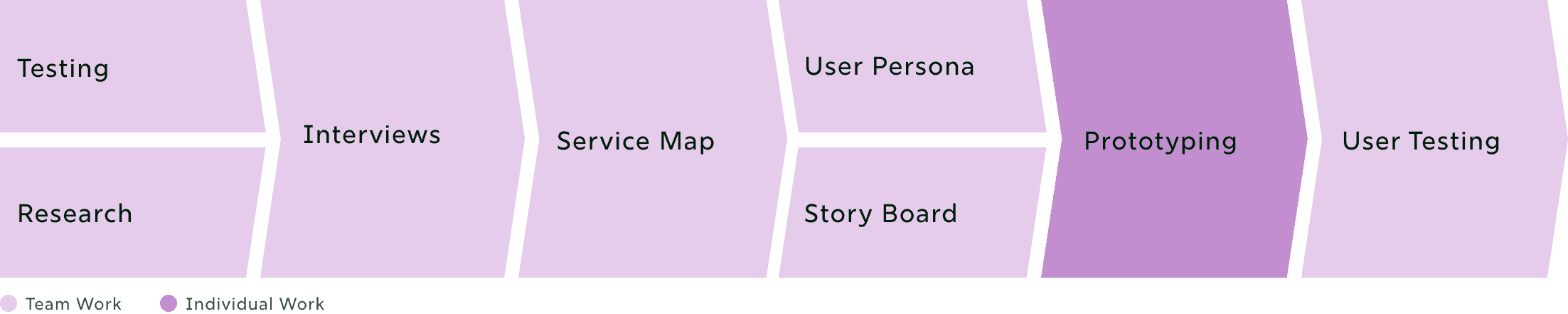
Work Division
Hypothesis
Students already self-practice on other platforms.
By testing Kampus and analyzing competitors, we hypothesized that students supplement their studies on other platforms because it better fits their learning needs and preferences. The problem may not lie in the lack of self-practice itself but in the lack of self-practice options available on Kampus.
Then, why even self-practice on Kampus? 🤔
User Interviews: Key Findings
To answer this question, we asked 5 students how they feel about Kampus and why they self-practice.
[1] Students want more centralized content
“It is nice when I can find everything (study materials) in one place.”
“Sometimes I can’t remember where I learned something from.”
[2] Studies for own interests or passing exams
“I use Khan Academy for math and chemistry because it covers a larger variety of topics in-depth.”
“I study because I don’t want to fail exams.”
“I learn how to program and play guitar after school.”
[3] Motivation is driven by interest in the subject
“My motivation behind studying is interest in the subject. With no interest, I do not have any motivation.”
“I don’t like studying for subjects I’m not interested in”
→ Students would self-practice on Kampus only if it provides study material that caters to their interests or helps passing an exam.
Challenge
Kampus Lacks Student-Centricity
Kampus only provides a one-size-fits-all learning environment, which hinders the self-practice of students with varying interests and grade levels.
How might we…
foster a learning environment that supports students with different interests and grade levels in school subjects?
User Groups
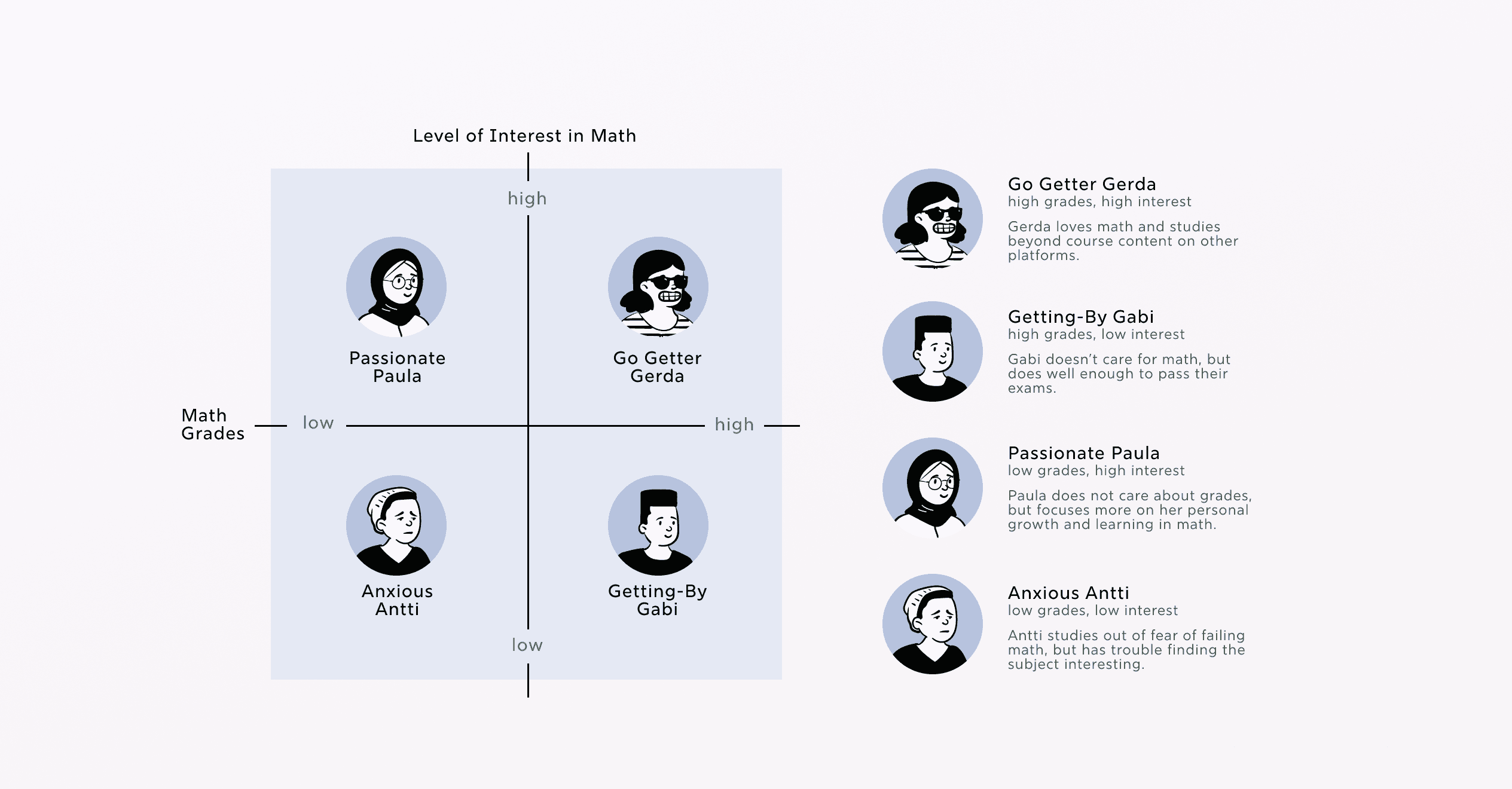
We defined user groups for self-learners in Kampus by users’ grades and level of interest in a subject (e.g. Math).
It is important to note that one student could fall under different user groups depending on the subject. For example, a student could be a "Go Getter Gerda" in Math, but an "Anxious Antti" in Spanish.
Outcome
Learning Modes
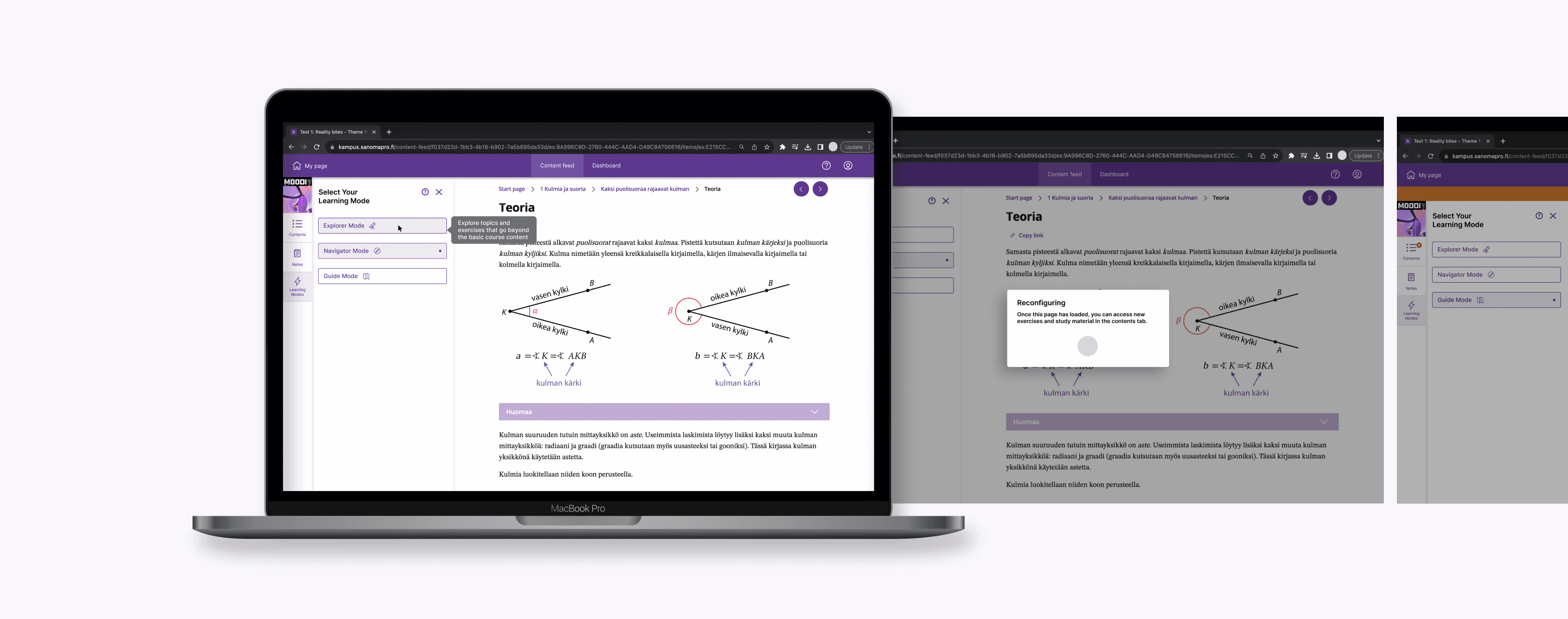
Three distinct learning pathway options that accommodate students’ learning needs and preferences, based on their level of interest and grades in a school subject.
Value Proposition
Students
Centralized Content
By having content catered to their interest and academic levels, students can self-practice on Kampus without switching to other platforms. This can help them keep their study material in one place and save time.
Teachers
Identify Struggling
Students
Many students said they study on Kampus even during class. Therefore, If a student is using guide mode and struggling with the course subject, teachers could teach them in detail while other students work on their studies. This is time and energy efficient both for the teacher and students.
Sanoma Learning
Transition to
Flipped Learning
When we had a Q&A session with Sanoma Learning, I asked, “Where do you see Sanoma Learning in 10 years?” Their response was a platform that would help Finnish schools switch to a flipped learning model. Learning modes can help students study at their own pace at home, and school classes can be used for collaborative and active learning.
Evaluation Plan and Lo-fi Wireframe
Based on this question, we created two wireflows:
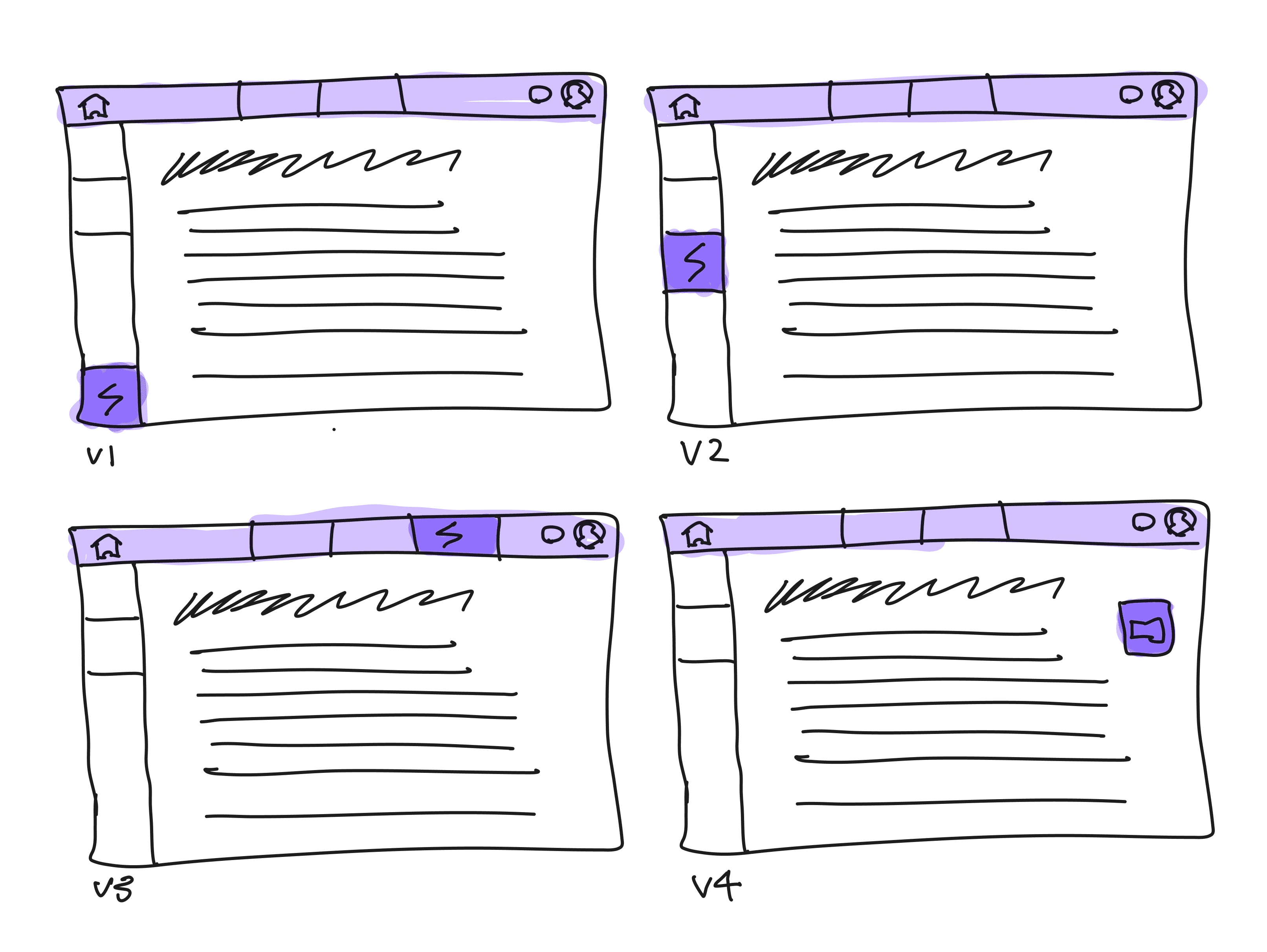
[1] Recognize (A/B testing)
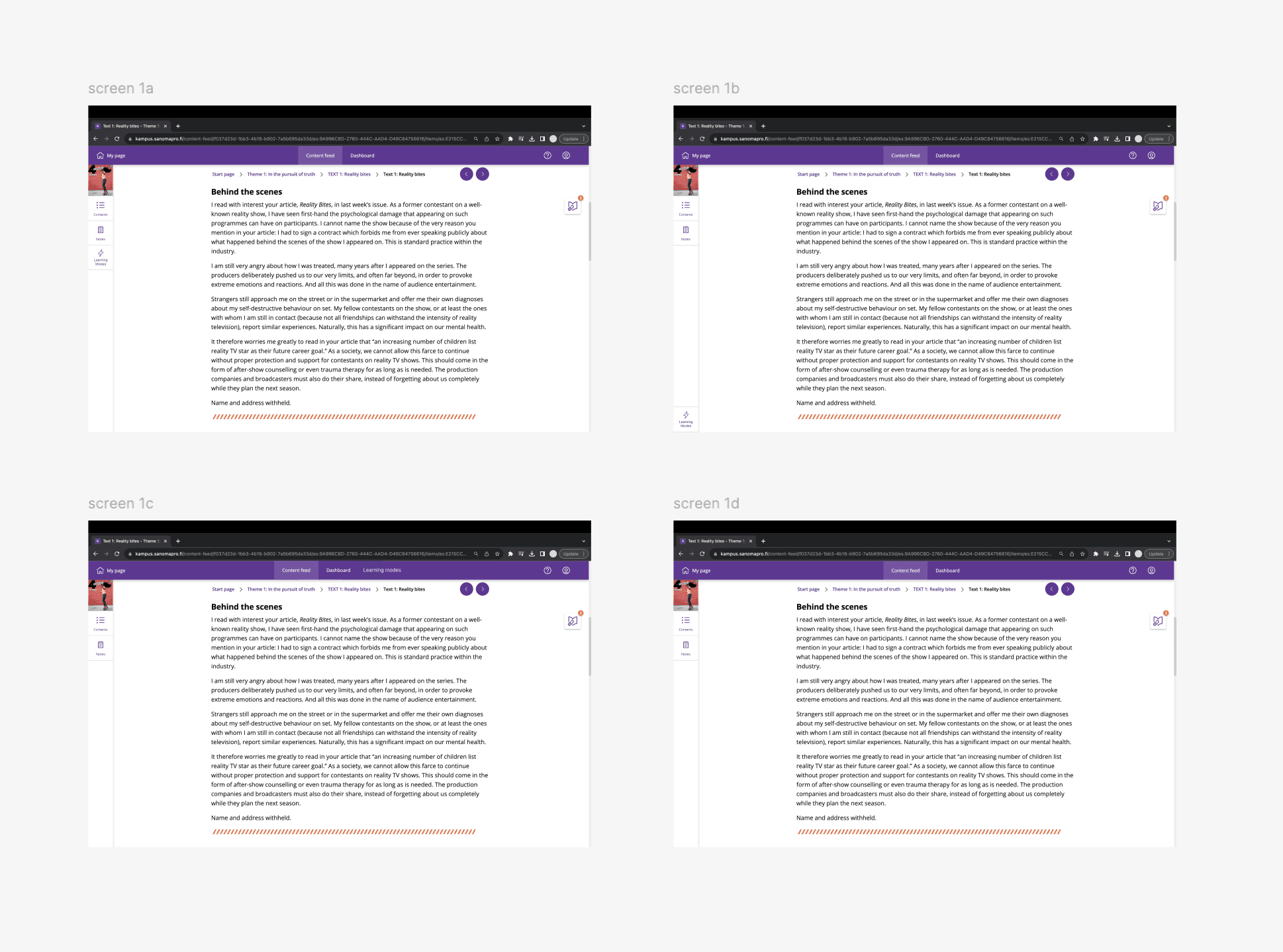
Flow: 4 screens that have the learning mode button in different locations
Goal: Find the easiest and fastest place for users to access learning modes
[2] Activate (interactive prototype)
Flow: From opening the learning modes, activating the mode, and finding new content in their account.
Goal: To check if users can easily select the right learning mode and find the new content added to their account.
Screen 1
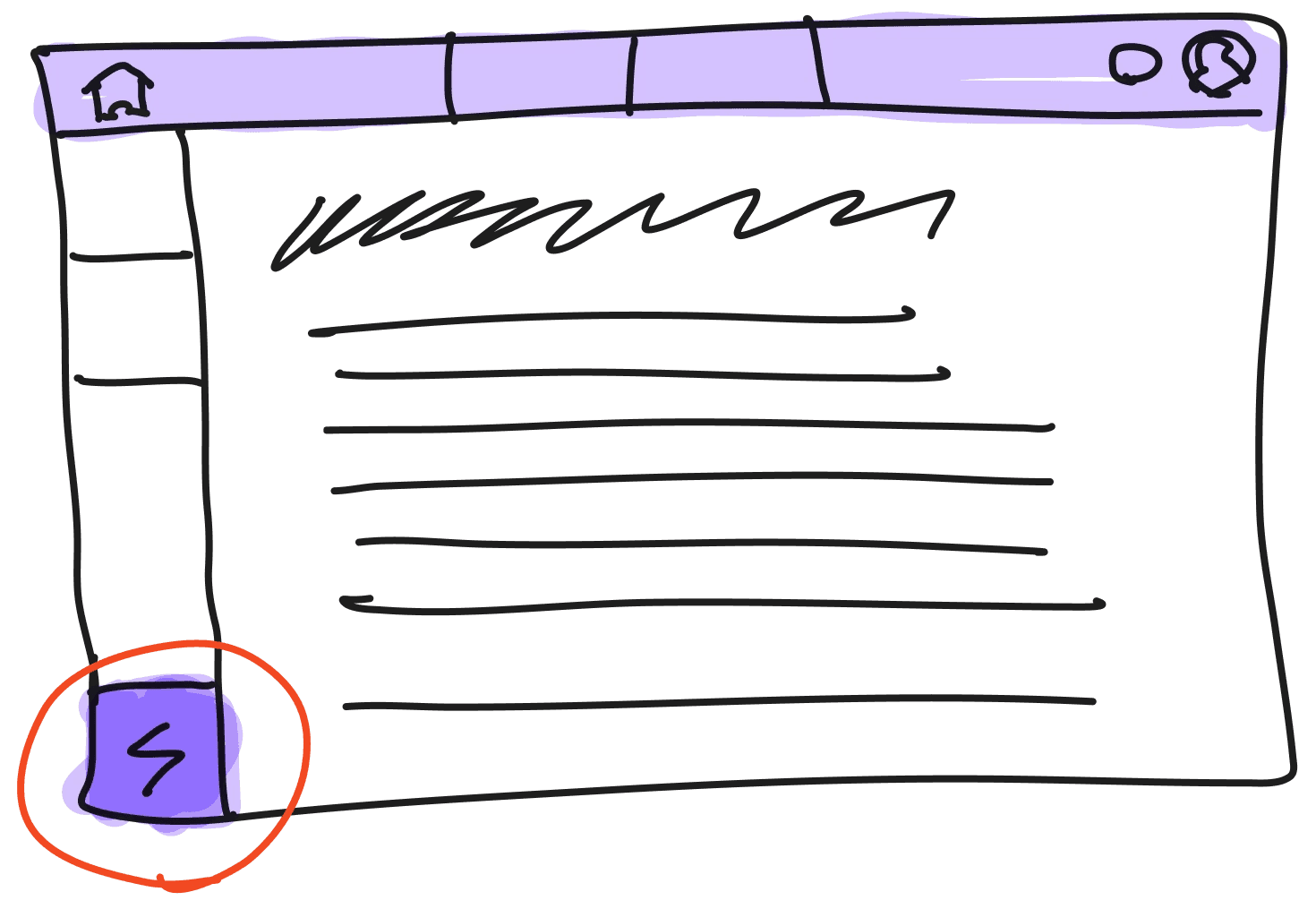
The user is reading a text from their math textbook, but feels like they need more content to support their understanding.
They click the learning mode button.
Screen 2
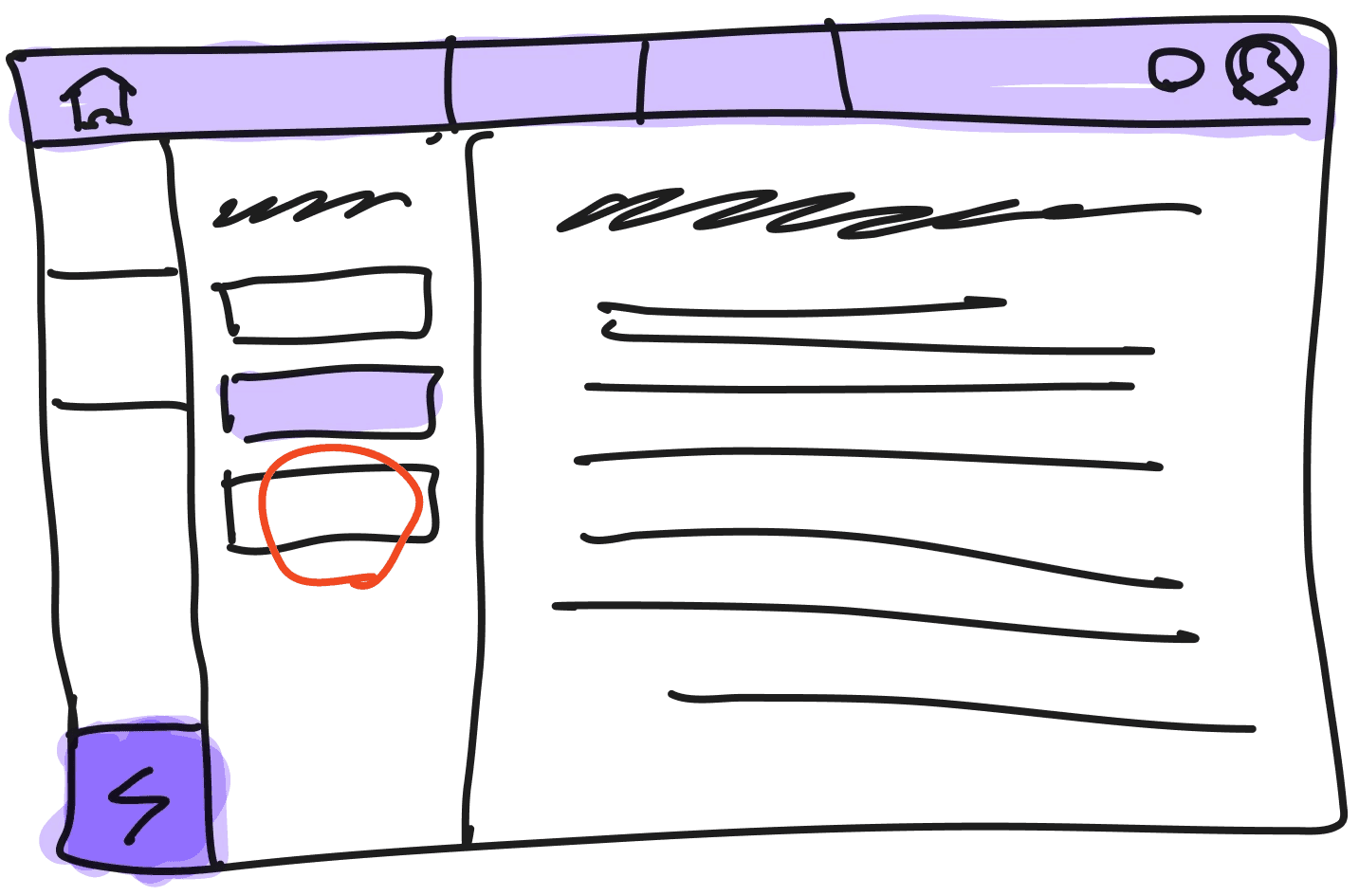
A sidebar appears with a list of different learning modes. The user can see that they are currently using navigator mode. Because they want more support, they click guide mode.
Screen 3
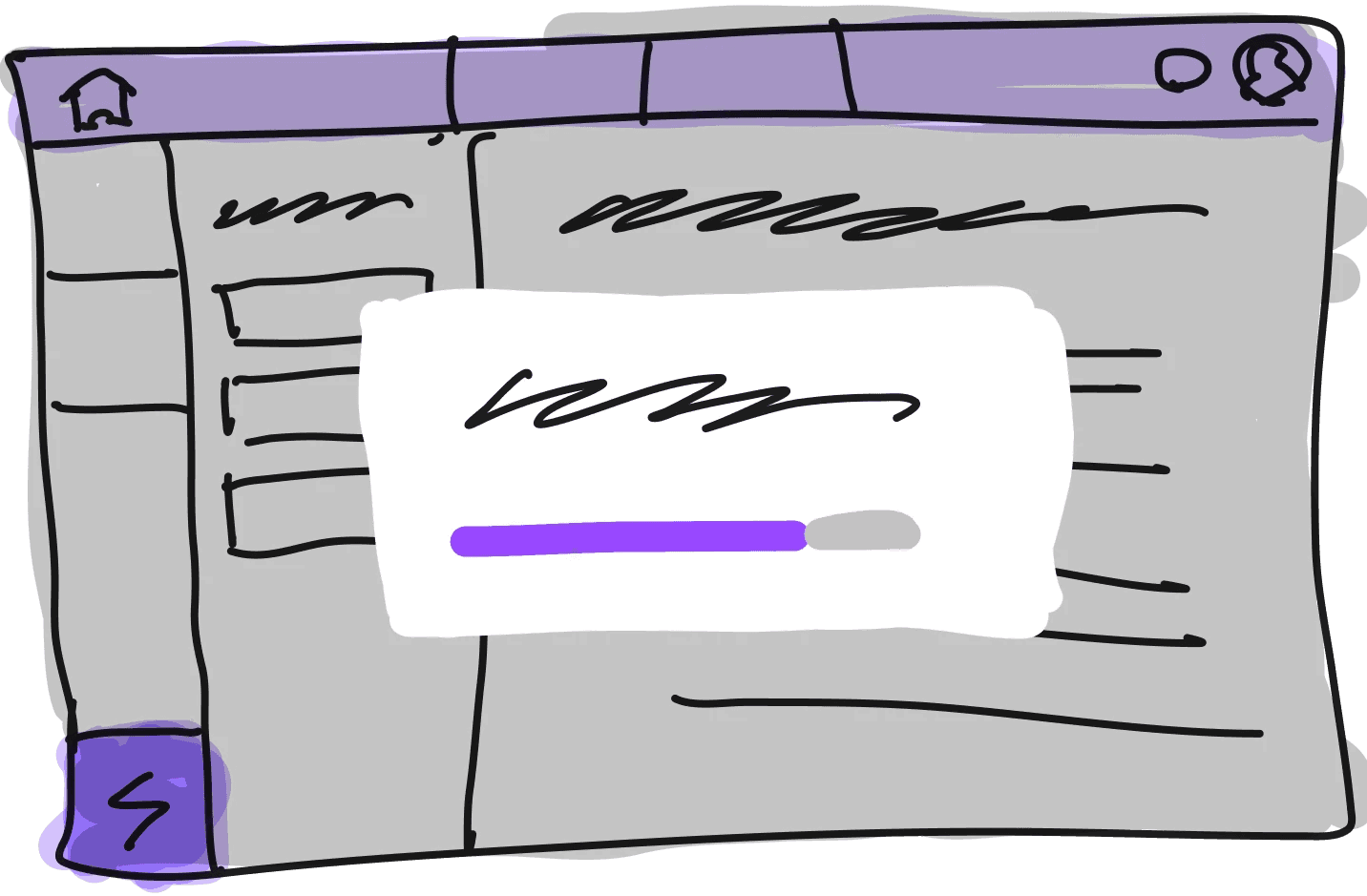
A pop-up appears in the center of the screen, indicating that the page is reloading and new exercises and study material are being added to their account.
Screen 4
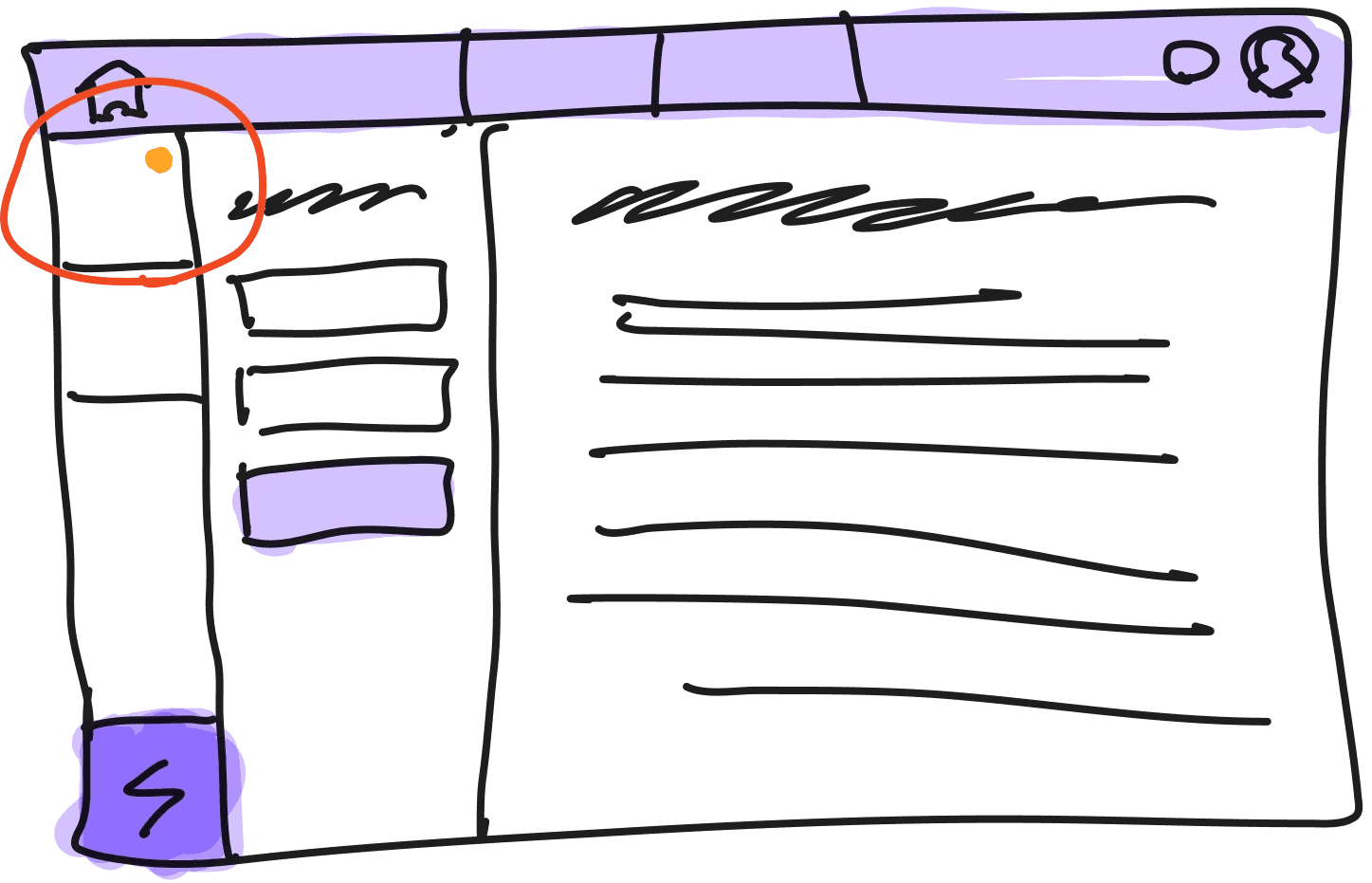
The user returns to screen 2, but notices a number count above the contents button in the sidebar.
They click the contents button.
Screen 5
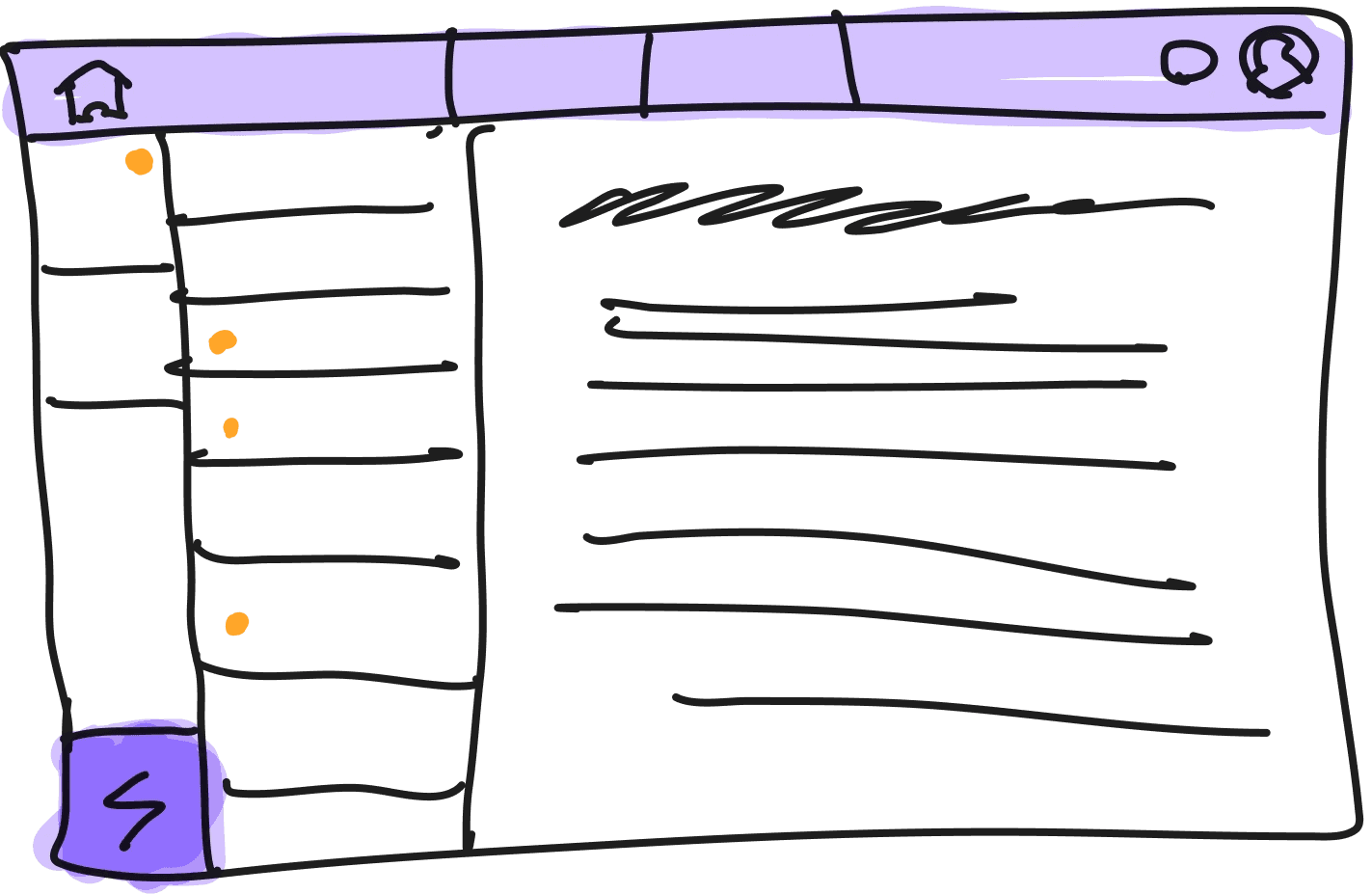
The user scrolls through the table of contents and sees new content has been uploaded as a result of selecting guide mode.
They select the new material and start studying!
Changes
As a result of A/B testing, the learning mode button moved to the sidebar, under notes.
This was the only position the students and other testers from our class were able to recognize the learning mode button instantly.
We added a hover interaction that shows a description of each mode.
While creating the high-fidelity prototype, we added more instructional elements to the user flow so students could get accustomed to learning modes and what they do. There are similar hover interactions in Kampus, so we used that in our solution to maintain consistency.
We added a banner notification after the student switched modes.
We noticed that it was hard to recognize the changes made to study material without a notification. Therefore, we added an orange (alert color) banner that directly takes them to the new study material.
Final Prototypes
[1] Recognize (A/B testing)
User Evalutations
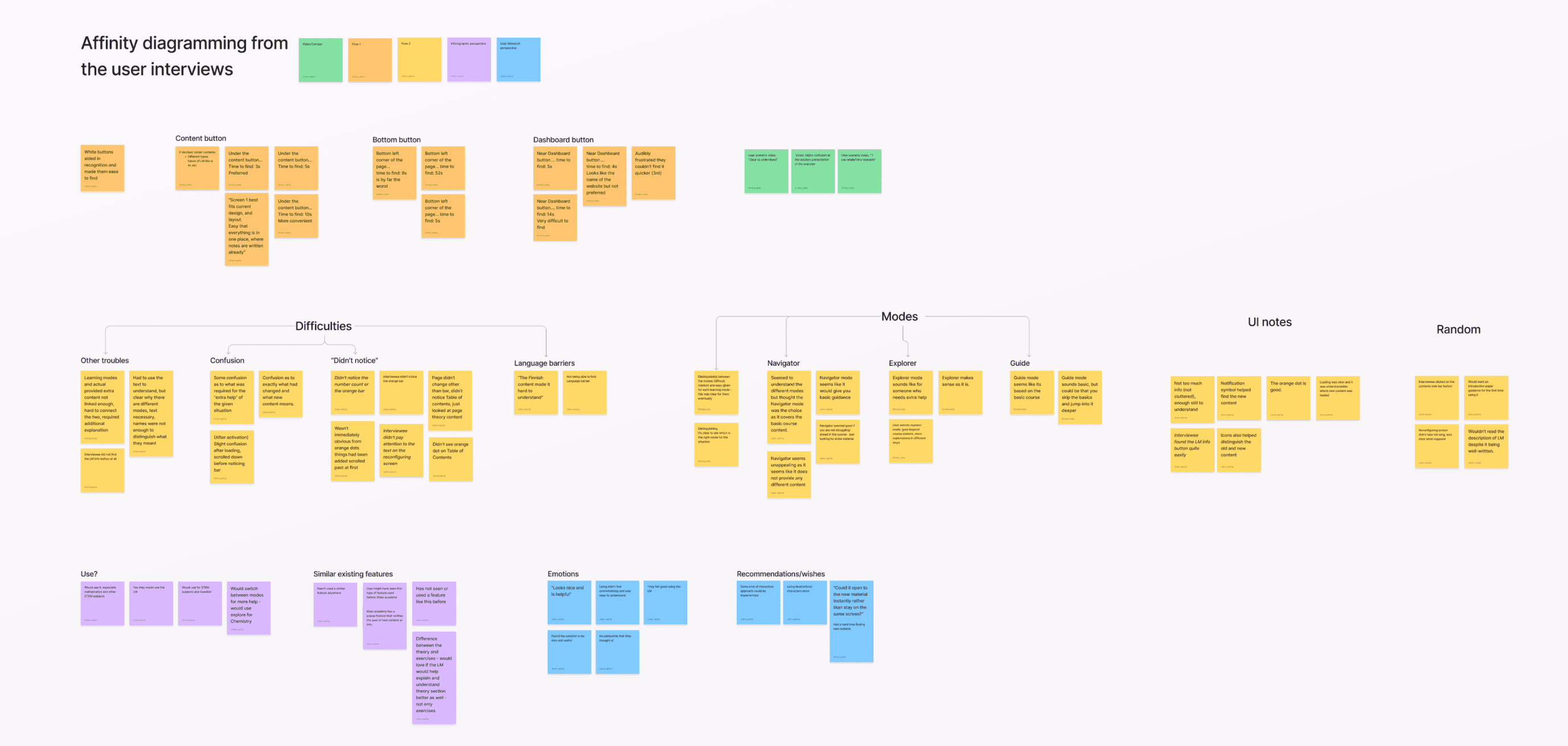
Students were interested in using learning modes, but better implementation into Kampus is required.
Key Findings
[1] Students found the learning mode button easily when it was in the sidebar.
[2] There were mixed understandings of what learning modes are, and what each mode meant.
[3] Students seemed positive about the idea of using learning modes in their studies, especially in STEM subjects.
Improvements to be made
Impact
Students liked the concept = Could spend more time self-practicing on Kampus
As identified in user testings, students liked the idea of using learning modes in their studies, especially for STEM subjects. This could increase their time self-practicing on Kampus instead of other platforms.
Sanoma Learning was excited to see flipped learning incorporated in the solution.
Although we do not know whether our outcome was adopted by Sanoma Learning, they were excited to see a feature that could help schools transition to flipped learning.
Central Learnings
1
Word choice is part of UI/UX design.
The name of each learning mode was clearly a pain point for our users. Especially when introducing a new feature, the wording should be tested with users, just like you would with any other design element.
2
Solutions should be familiar enough.
Similar to wording, the feature could have been too unfamiliar to our users. Taking inspiration from existing solutions are important when crafting a frictionless user experience.
3
A Service Blueprint could have been useful.
Because we did not have a bigger picture of the service, we did not know the full extent of Kampus’ capabilities. Our solution could have been better integrated if we better understood front-end and back-end operations in Sanoma Learning and Kampus.